![Base logo_1 base-1.png]](https://support.base.ai/hs-fs/hubfs/Base%20logo_1%20base-1.png?width=91&height=40&name=Base%20logo_1%20base-1.png)
While many reports can be located via the Referencable content tab, some asks allow you to download the report directly form the ask dashboard.
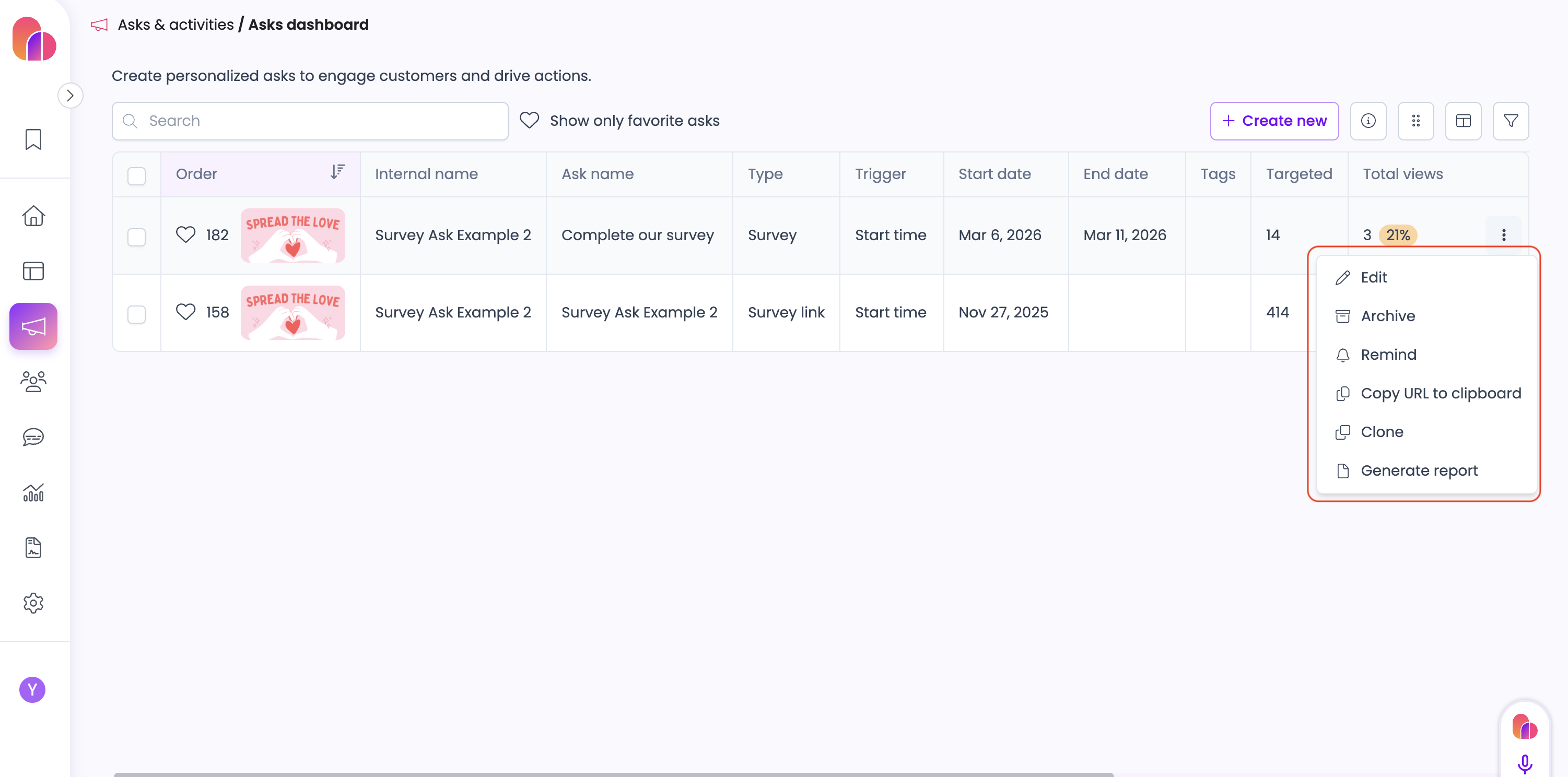
1. Using the main menu, go to Asks & Activities > Ask Dashboard.
2. Select the three dots on the far right next to the survey ask you would like to export the report for. Then select Generate Report.
2. You will then see an export icon in the top right corner that will allow you to export the report as a csv file.
